Overview
Production visibility that protects your margins
The crew logs installed quantities at the source, in a crew-friendly app. Each entry is tied to its exact location, with photos, annotations and timestamps, so production is visible day to day instead of weeks later in a spreadsheet.
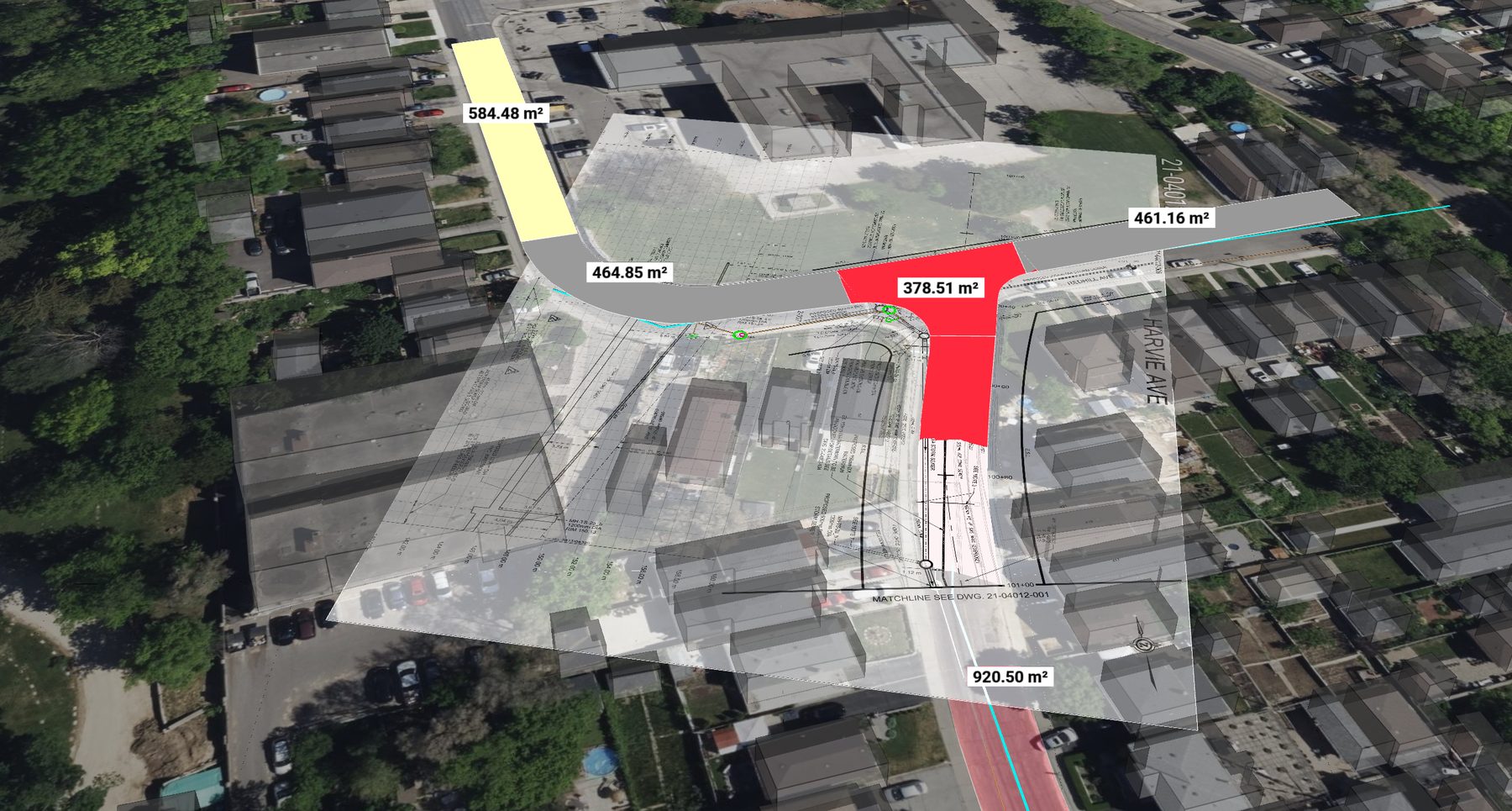
Quantity capture is built into redlining: crews record quantities as they mark up drawings, and vSite rolls them up into pay items automatically.
Every quantity comes with inspection-ready documentation. The result: fewer disputes, faster pay applications and protected margins.
Daily
progress against plan
2 wk → 1 day
invoice documentation (Van Gelder)
“We are very excited about the product, as we believe it brings huge value to the city!”
How it works
Simple, smart and built for the field
- 1
Redline the run
The foreman draws what was installed on the drawing.
- 2
vSite measures it
Length or count, geotagged, timestamped and on the right pay item.
- 3
Office reviews
Progress against plan, every day.
- 4
Certificate goes out
Pay items with the proof attached.
Highlights
Solution highlights
-
Crew-friendly mobile capture
No paper or spreadsheets. Every entry tied to photos and redlines.
-
Real-time progress
Production against plan daily, not weeks later.
-
Pay item rollups with proof
Quantities roll up to pay items with inspection-ready evidence.
-
Protect your margins
Catch overruns early and correct them before they hit cost.

Plans
Included in Crew, Project and Enterprise plans
Quantity tracking uses vSite Field to measure and vSite Office to cost and bill. Both are included in Crew, Project and Enterprise plans.
FIELDOFFICE
- Flat annual fee, no per-user fees
- Unlimited users and guests
- Web, mobile app, AR and scanner
- Setup and support by vGIS
FAQ
Quantities questions
Who measures the quantities?
vSite does. The foreman draws what was installed and vSite measures it and files it on the pay item.
Can one cost code feed several pay items?
Yes. Cost codes and pay items can map one to many, or many to one.
How does this help get paid?
Each quantity carries photos, scans and location, so certificates go out on time with the proof attached.