
FIND YOUR PLAN
How will you use vSite?
{{ pricing.msg }}
- Most contractorsRecommended for you
Crew
For crews that move from job to job
From [PRICE]
per crew per year
- Every job the crew does that year
- Field, Office or both
- Everyone above, below and beside the foreman
- Unlimited users and guests
- Recommended for you
Project
Use vSite only on the jobs that need it
From [PRICE]
per project, priced by size
- Any project size
- Any number of crews
- Subcontractors included
- Field and Office
- Dashboard across the crews
- Recommended for you
Enterprise
For contractors with many crews, and for owners
Custom
one fee for the whole company
- Unlimited projects, users and scans
- Licences move between sites
- SSO and custom integrations
- Dedicated account manager
Crew plans
Field, Office or both
Pay once per crew per year, however many jobs it does.
- Best value
FIELDOFFICE
Field + Office
The full job record
[PRICE]
per crew per year
- Everything in Field and Office
- Quantities next to cost, by cost code
- Extras with photos, hours and equipment
- Pay certificates with proof attached
-
FIELD
Field
For the crew
[PRICE]
per crew per year
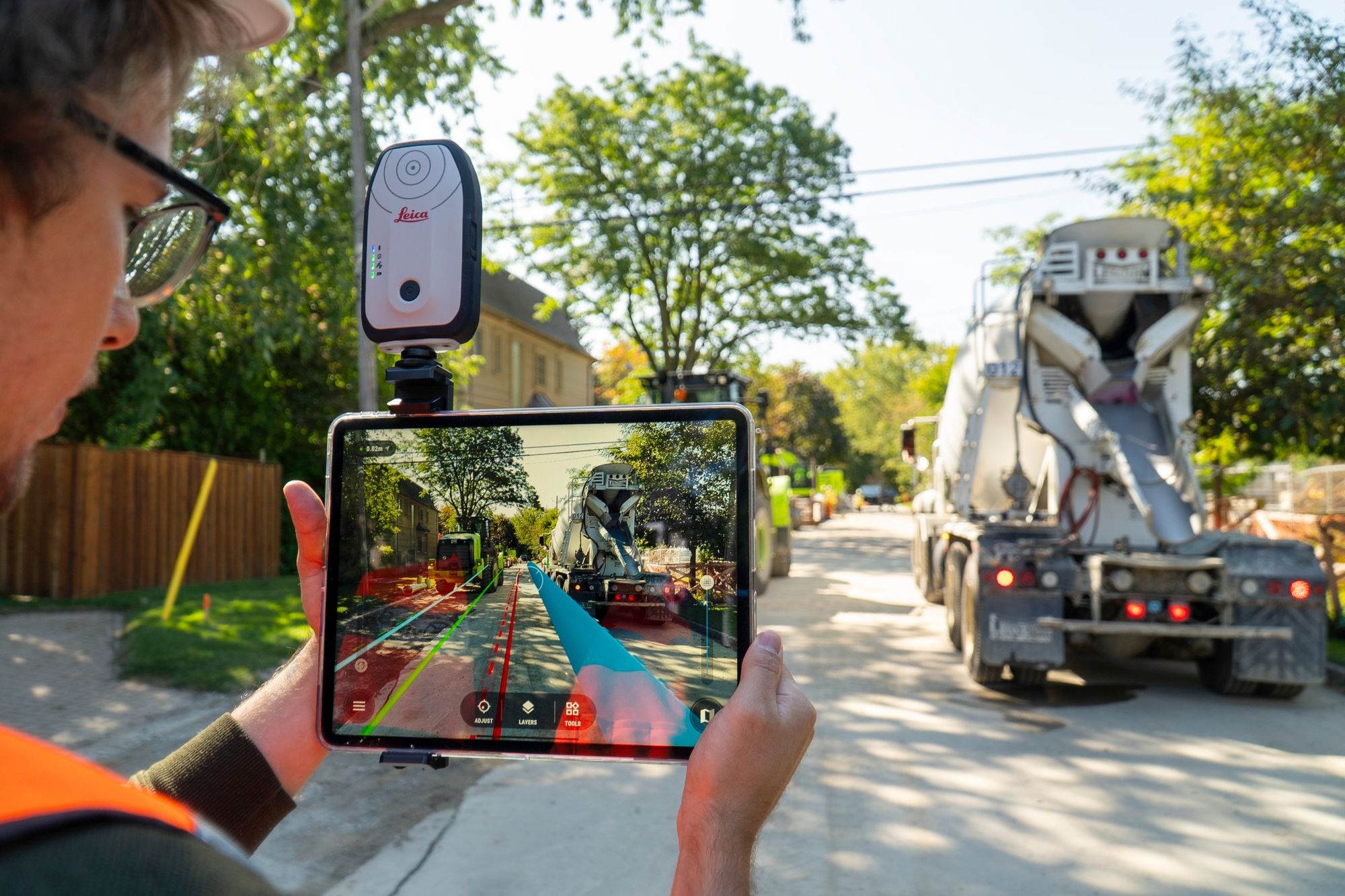
- Utilities in AR before you dig
- Drawings and sheet revisions
- Redlines, as-builts and 3D scans
- Quantities measured from redlines
-
OFFICE
Office
For the office
[PRICE]
per crew per year
- Crew and equipment timesheets
- AI daily reports
- Civil cost codes and pay items
- Packing slips, rentals, daily job cost
Compare
Compare Crew plans
| vSite Field | Office | Field + Office | |
|---|---|---|---|
| In every plan | |||
| Projects, cost codes and pay items | |||
| Unlimited users and guests | |||
| Setup by vGIS | |||
| Mobile and web apps | |||
| In the field | |||
| Utilities in augmented reality | — | ||
| Drawings and sheet revisions | — | ||
| Redlines and as-built points with your GNSS receiver | — | ||
| 3D trench scanning | — | ||
| GIS and CAD export | — | ||
| Installed quantities | Measured from redlines | Entered by hand | Measured, and set against cost |
| In the office | |||
| Timesheets by crew, cost code and equipment | — | ||
| Daily reports | — | ||
| Packing slip capture | — | ||
| Material rates and rentals | — | ||
| Cost to date against tender, by cost code and cost element | — | ||
| Daily profit and loss, payroll and ERP export | — | ||
| Only with both | |||
| Unit cost from installed quantities, every day | — | — | |
| Pay-certificate PDFs with redlines, photos and scans attached | — | — | |
| Extra work with location, photos, hours and equipment in one record | — | — | |
Included
What setup includes
- 1Your drawings, utility records and cost codes loaded and placed on the map
- 2Your GNSS receiver paired with the crew’s phone or tablet
- 3A working session with the foreman and the office
- 4Support from our team through the first weeks on site
Hardware you need
An iPhone Pro or iPad Pro for 3D scanning. For centimeter accuracy, a GNSS receiver. Most contractors use the one they already own.
1 cm / 0.5″
with an RTK receiver
40+
receiver models
- Leica
- Emlid
- Trimble
- EOS
- Bad Elf
- and more
Prove it on your own job first
Start with one live project, priced like a Crew or Project plan. Quick set-up. Cancel within 30 days if it isn’t paying off.
Does a Crew plan cover more than one job?
Yes. If a crew does six jobs in a year, you pay once, not six times.
Who is included in a crew?
One foreman’s crew, plus everyone above (PMs, supers, office), below (operators, labourers) and beside them (locators, surveyors).
Crew or Project?
Crew when your crews use vSite on every job they do. Project when you want vSite only on the jobs that need it, from one street to a large contract with many crews and subcontractors.
When does Enterprise make sense?
When you run many crews or hundreds of jobs a year. One fee for the whole company, nothing to count. Owners can use it to cover every contractor on their program.
Do you charge per user or by contract value?
No. Plans are flat fees with unlimited users. We never ask to see your books.
Can we start with Field or Office and add the other?
Yes. Both use the same jobs, cost codes and pay items, so nothing is entered twice.
Can we buy through a dealer?
Yes. vGIS works with equipment dealers in several countries, or you can buy directly.